
Conference Room Sound Systems: Equipment, Acoustics and Audio Settings
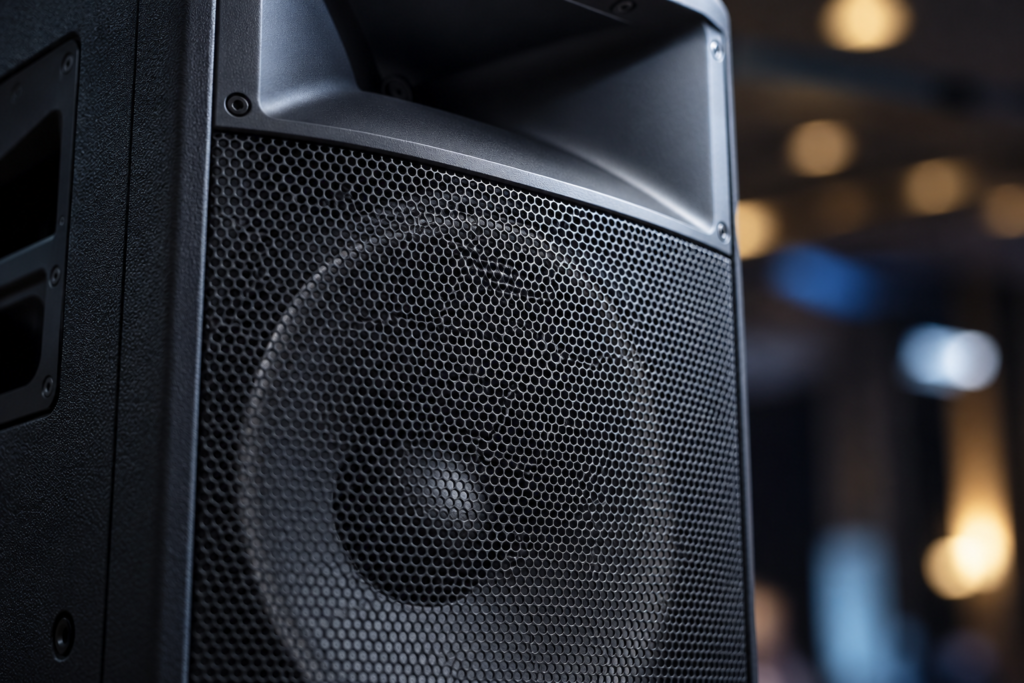
The sound quality of a professional conference depends on three key factors: suitable equipment, well-managed acoustics and precise audio settings. Whether you are organising a seminar, congress or corporate presentation, every speaker must remain perfectly intelligible, from the front row to the back of the room. How should you choose microphones and loudspeakers? Which acoustic parameters deserve attention, and what tests should you carry out before participants arrive? Here are the essential considerations for ensuring reliable, comfortable conference audio.
1. The Priority at Any Conference: Making Every Word Understandable
In a conference room, sound power is not the primary measure of quality. What really matters is speech intelligibility: every participant should be able to understand the speakers without excessive effort, regardless of where they are sitting.
An overly powerful sound system can cause listening fatigue and accentuate certain resonances. Conversely, insufficient volume forces the audience to concentrate harder to follow presentations.
The objective is to achieve consistent, natural and comfortable sound reproduction.
Three elements should be analysed from the planning stage:
- Room configuration: dimensions, audience layout, ceiling height and stage position.
- Programme: number of speakers, individual presentations, panel discussions, videos and interactive sessions.
- Technical requirements: microphones, sound reinforcement, multimedia playback, recording or remote participation.
A board meeting involving fifteen people does not require the same equipment as a plenary conference welcoming several hundred participants.
The equipment should be matched to the room’s actual use. This approach avoids unnecessary technology while ensuring an experience suited to the audience.
2. Which Microphones Should You Choose for a Professional Conference?
The microphone is the first link in the audio chain. Its quality, directionality and positioning directly influence speech clarity.
The right choice depends primarily on the number of speakers and how freely they need to move.
Handheld Microphones: Versatile and Easy to Share
Handheld microphones are particularly suitable for traditional presentations, event moderation and audience interaction.
They offer several advantages: intuitive operation, effective voice capture and the ability to move quickly between speakers.
A wireless model makes it easier to move around the stage and circulate throughout the room.
However, its effectiveness depends on how it is used. A speaker who constantly moves the microphone away from their mouth will cause significant volume fluctuations.
A quick reminder of good microphone technique before each presentation is therefore worthwhile.
Headset Microphones: Ideal for Dynamic Keynotes
For speakers who move around frequently, headset microphones are often a particularly comfortable solution.
Positioned close to the mouth, they help maintain a relatively consistent sound level, even when speakers turn their heads or use both hands.
They are especially suitable for inspirational keynotes, sales presentations and on-stage demonstrations.
However, this type of microphone requires precise adjustment and must be fitted correctly to the speaker.
Lavalier Microphones: Discreet but More Sensitive to the Environment
Lavalier microphones are appreciated for their discreet appearance. Attached to clothing, they leave both hands free and work well for interviews or filmed presentations.
However, because they are positioned farther from the mouth, they can be more sensitive to ambient noise and variations in sound level.
Clothing friction is another potential issue to anticipate.
For a conference requiring substantial sound amplification, a headset microphone may therefore offer a better compromise.
Tabletop Microphones: For Discussions and Panel Sessions
Tabletop and gooseneck microphones are particularly suitable for panel discussions, assemblies and presentations delivered from a lectern.
They help structure speaking turns while providing a relatively stable setup.
For discussions involving several speakers, a system with automatic microphone management can also simplify audio operation.
The choice should reflect the number of people likely to speak simultaneously, their positions and the format of the discussion.
3. Loudspeakers: Cover the Entire Room Without Unnecessarily Increasing Volume
Good conference sound reinforcement involves more than placing two powerful loudspeakers near the stage.
The challenge is to distribute sound evenly, avoiding excessively loud areas at the front and insufficient coverage at the back.
Adapt Sound Distribution to the Room Layout
In a small room, an integrated sound system may be perfectly adequate.
For longer or wider rooms, several strategically positioned loudspeakers generally provide better coverage.
Depending on requirements, the setup may include:
- Main loudspeakers directed towards the audience.
- Additional loudspeakers covering more distant seating areas.
- Stage monitors for speakers, where necessary.
- A dedicated playback system for multimedia content.
Loudspeaker positioning should be determined according to the audience layout and the room’s acoustic characteristics.
Particular attention should be paid to the front rows, side seating and rear of the room.
Be Careful with Additional Loudspeakers
Adding more loudspeakers does not automatically improve the result.
When several sound sources reproduce the same signal at different distances, the audience may perceive timing differences or interference.
A time-alignment setting, known as delay, can synchronise additional loudspeakers with the main system.
This adjustment should be carried out by someone familiar with the installation, ideally using appropriate measurement equipment.
At BluePoint Liège, the Crystal and Turquoise event spaces feature a professional Bose sound system with centralised controls. This equipment facilitates audio management for conferences, presentations and corporate events organised in these spaces.
To identify a suitable configuration for your programme, explore BluePoint Liège’s event spaces.
4. Why Are Room Acoustics Just as Important as the Equipment?
Even excellent equipment can produce disappointing results in a room with poor acoustic characteristics.
When someone speaks, their voice reaches listeners directly, but some of the sound is also reflected by walls, ceilings, floors and glass surfaces.
These reflections can be beneficial under certain conditions. However, when they persist for too long or arrive with a significant delay, they make speech less distinct.
Reverberation and Echo: Two Different Phenomena
Reverberation refers to the persistence of sound after its source has stopped, caused by multiple reflections within a room.
An echo is a perceptible repetition of sound, generally caused by a sufficiently delayed reflection.
Both can have significant consequences: reduced syllable clarity, difficulty understanding presentations and increased listening fatigue.
Large hard surfaces, glazing and certain ceiling materials can intensify these effects.
Conversely, sound-absorbing materials, suitable acoustic treatments and furnishings can help control reflections.
Reverberation Time: A Useful Indicator
Reverberation time, commonly referred to as RT60, is the time required for the sound level to decrease by 60 dB after the sound source stops.
This measurement helps assess how long sound persists in a room.
For conferences primarily focused on speech, relatively short reverberation times are generally desirable to preserve intelligibility.
However, there is no single value suitable for every room. Room volume, configuration, occupancy and intended use must all be considered.
If acoustics are particularly important for your event, ask the venue manager what solutions are available to ensure clear presentations.
5. How Can You Prevent Audio Feedback During a Conference?
Audio feedback is one of the most dreaded sound problems at professional events.
The familiar high-pitched whistle occurs when a microphone picks up sound reproduced by a loudspeaker, which then amplifies it again. This creates a loop that causes acoustic instability.
Several factors can contribute to feedback: excessive volume, a microphone positioned too far from the speaker, poorly placed loudspeakers or too many open microphones.
Best Practices for Preventing Feedback
According to recommendations from professional audio manufacturer Shure, doubling the number of open microphones can reduce the available gain before feedback by 3 dB.
This illustrates the importance of carefully managing different audio sources.
To minimise the risk:
- Position loudspeakers so they do not project sound directly towards microphones.
- Keep microphones as close as possible to the voice being captured.
- Choose microphone directionality suited to the environment.
- Mute or reduce the level of microphones that are not being used.
- Avoid excessively increasing gain to compensate for poor microphone placement.
- Check where speakers intend to move during their presentations.
Automatic feedback suppression systems can also be used. They provide an additional safeguard but cannot replace correct equipment positioning.
Preventing feedback therefore begins well before adjusting the volume.
6. Essential Audio Settings Before the Audience Arrives
A high-quality installation requires consistent and accurate settings.
These settings must be adapted to the microphones, speakers’ voices, room characteristics and content being played.
Set the Input Gain Correctly
Gain determines the level of the signal captured by the microphone before further processing.
If the gain is too low, the signal may be insufficient and require excessive amplification later in the audio chain.
If it is too high, distortion may occur, particularly when a speaker raises their voice.
Gain should therefore be adjusted with someone speaking at a level representative of their actual presentation.
Use Equalisation Carefully
An equaliser allows different frequency ranges to be adjusted.
For conferences, it is primarily used to improve speech clarity and correct problematic resonances.
A high-pass filter can also help reduce handling noise or unwanted vibrations, depending on the microphone being used.
The objective is not to artificially transform the speaker’s voice, but to achieve natural and intelligible reproduction.
Avoid excessive corrections, which may degrade the result or conceal equipment placement problems.
Compression: Controlling Volume Fluctuations
A compressor can reduce differences in level between quieter passages and more energetic speaking.
It can be useful when several presenters have very different speaking habits.
However, overly aggressive compression can make speech sound unnatural, emphasise background noise or reduce vocal dynamics.
Compression should therefore be applied moderately.
Prepare Several Audio Configurations
For conferences featuring different sessions, preparing several audio settings may be useful:
- Individual presentation.
- Panel discussion.
- Audience Q&A.
- Video playback.
- Remote speaker.
This preparation simplifies transitions and reduces improvised adjustments during the event.
7. What Sound Level Should You Use for a Conference?
High volume does not necessarily mean high quality.
For professional presentations, the objective is to keep speech sufficiently audible throughout the room without causing listening fatigue.
Settings should account for ambient noise, the distance between loudspeakers and participants, and the duration of presentations.
The World Health Organization emphasises that hearing risks depend on both sound level and exposure duration. As an adult safe-listening reference, it indicates 40 hours per week at 80 dB, compared with 4 hours per week at 90 dB.
These figures concern sound exposure and are not recommended operating levels for conferences.
They nevertheless demonstrate how a relatively small increase in volume can significantly affect acceptable exposure duration.
For a professional event, prioritise:
- Amplification adapted to ambient noise.
- Consistent sound coverage rather than excessive volume near loudspeakers.
- Levels checked from several positions throughout the room.
- Separate volume management for speech, videos and any musical entertainment.
Comfortable sound levels contribute directly to the participant experience.
8. Do Not Overlook Additional Audio Sources
A modern conference rarely involves speakers’ voices alone.
Presentation videos, animations, audio clips, video calls and audience questions may all require additional audio sources.
These elements must be incorporated into technical planning.
Video Presentations and Multimedia Content
Videos can feature significant volume differences compared with microphones.
Test the files under actual playback conditions, using the computer and software that will be used on the day.
Also verify that audio playback is correctly routed to the sound system.
Remote Speakers and Hybrid Events
Hybrid conferences introduce an additional challenge: managing sound for both the physical room and remote participants.
A remote speaker must be able to hear audience questions without receiving a distracting return of their own voice.
This setup requires appropriate audio routing and generally an acoustic echo cancellation system.
Sound reproduction must also remain intelligible for participants physically present in the room.
Audience Questions and Answers
Interactive sessions require specific arrangements.
Possible solutions include a wireless microphone passed around the audience, fixed microphones or a dedicated conference system.
The selected format should allow participants to ask questions without unnecessarily slowing down the programme.
For hybrid events or conferences involving several speakers, advance coordination with the technical team is particularly valuable.
9. The Soundcheck: An Essential Rehearsal
A soundcheck involves testing the entire audio setup before the audience arrives.
It helps identify problems while there is still time to resolve them without disrupting the event.
Ideally, this rehearsal should involve the speakers themselves.
If this is not possible, someone should at least reproduce their expected speaking conditions.
What Should You Check?
Before opening the doors, verify:
- That every microphone works correctly.
- Battery levels and the availability of backup equipment.
- Gain and volume levels for each speaker.
- Loudspeaker coverage at the front, middle and back of the room.
- Potential feedback problems.
- The volume of videos and other multimedia content.
- Audio connections from presentation computers.
- Transitions between programme segments.
- Sound quality transmitted to remote participants, where applicable.
Do not perform these checks exclusively from the control desk.
A sound system may seem perfectly balanced near the mixing console while producing a very different result in the back row.
Take time to walk around the room during testing.
An additional check may be useful once participants are seated, as room occupancy changes some of its acoustic characteristics.
10. What Technical Organisation Should You Plan for the Event?
High-performance equipment is no substitute for clear technical organisation.
For a conference featuring several speakers, videos, Q&A sessions and potentially remote contributions, appoint someone responsible for audio coordination.
This person should know the programme, each speaker’s requirements and the planned transitions.
They should be able to:
- Activate or mute microphones at the appropriate moment.
- Adjust levels between different sources.
- Respond quickly to technical problems.
- Coordinate changes in audio configurations.
- Manage replacement equipment.
For major conferences, a dedicated technical control area allows these operations to be centralised.
The organiser should also provide essential information well in advance: number of speakers, presentation formats, special requirements and the event schedule.
At BluePoint Liège, organisers can benefit from the available audiovisual equipment and the team’s support when preparing their event setup.
To anticipate your technical and logistical requirements, explore the BluePoint Liège brochure.
11. The Most Common Conference Sound Problems
Certain incidents can be avoided through more thorough preparation.
Leaving too many microphones open. This increases the risk of capturing ambient noise and may reduce the available gain before feedback occurs.
Increasing volume to compensate for poor acoustics. This does not correct reverberation problems and may make listening less comfortable.
Ignoring differences between speakers. A quiet speaker and someone with a powerful voice may require different settings.
Improvising video playback. Untested multimedia content can cause interruptions or sudden volume changes.
Forgetting spare batteries. A wireless microphone failure can interrupt an otherwise perfectly prepared presentation.
Testing only from the control desk. Sound perception varies depending on the listener’s position in the room.
Failing to appoint a technical contact. When a problem occurs, the absence of a clearly identified contact can unnecessarily prolong the disruption.
The best preventive measure is to check the entire audio chain, from voice capture to sound distribution throughout the room.
A Successful Conference Deserves Excellent Sound
Conference sound quality does not depend solely on the performance of microphones or loudspeakers. It results from the interaction between equipment, room acoustics, audio settings and technical preparation.
A well-designed system allows speakers to communicate naturally and participants to follow every presentation comfortably.
For event organisers, the objective is straightforward: anticipate audio requirements from the initial planning stage, rather than treating them as a last-minute logistical detail.
With its conference facilities, professional audiovisual equipment and dedicated event support, BluePoint Liège helps you prepare an environment tailored to your presentations.
Give your speakers the best possible conditions to deliver their message. Tell the BluePoint Liège team about your project and start planning your next conference.
Would you like to discover all that BluePoint Liège has to offer?
